2. RuBoT
This is RuBoT. For each level, you have to write a program — a series of instructions — to make RuBoT light up all the blue tiles in the level. If you don’t have your own RuBoT, you can play a similar game (on which we based RuBoT) at http://armorgames.com/play/2205/light-bot
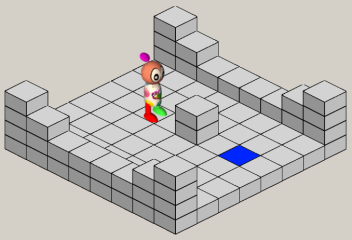
The basic instructions that RuBoT understands are
- Forward - move one block forward,
- Left - turn 90 degrees to RuBoT’s left (Lime green) side,
- Right - Turn 90 degrees to RuBoT’s right (Red) side,
- Jump - up or down, onto the next tile. RuBoT can only jump up one tile height, but he can jump down large distances,
- Click - change the light tile that RuBoT is standing on to its opposite state (on or off).
We can abbreviate a RuBoT program by just using the first letter of each instruction - F, L, R, J, C.
Programming involves first making a plan. We can see here that we’ll need to turn RuBoT and navigate around the pillar in the middle (he cannot walk through walls or jump onto high obstructions). So here is our first program to solve this level: RFLFFFFLFC
We enter the program, then use the Run button to have him execute the instructions. If our plan is correct, he will follow our instructions, light up the tile, and things will end up looking like this:
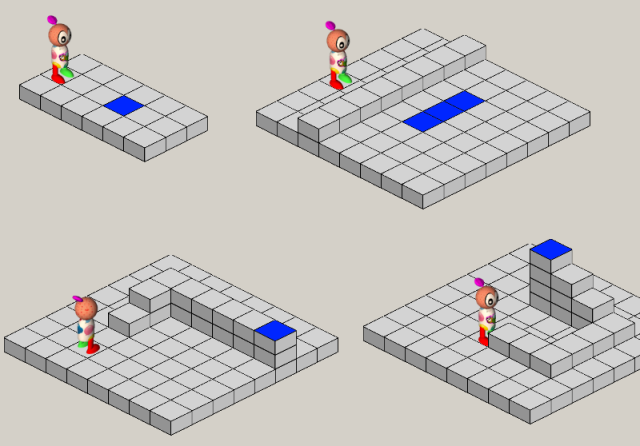
Practice solving the first few levels of RuBoT. Some of them require jumping up and down levels, and some have more than one tile that needs to be lit.
2.1. Glossary
- delimiter
- A sequence of one or more characters used to specify the boundary between separate parts of text.
2.2. Exercises
- Write a program that reads a file and writes out a new file with the lines in reversed order (i.e. the first line in the old file becomes the last one in the new file.)
